See grades change over time.
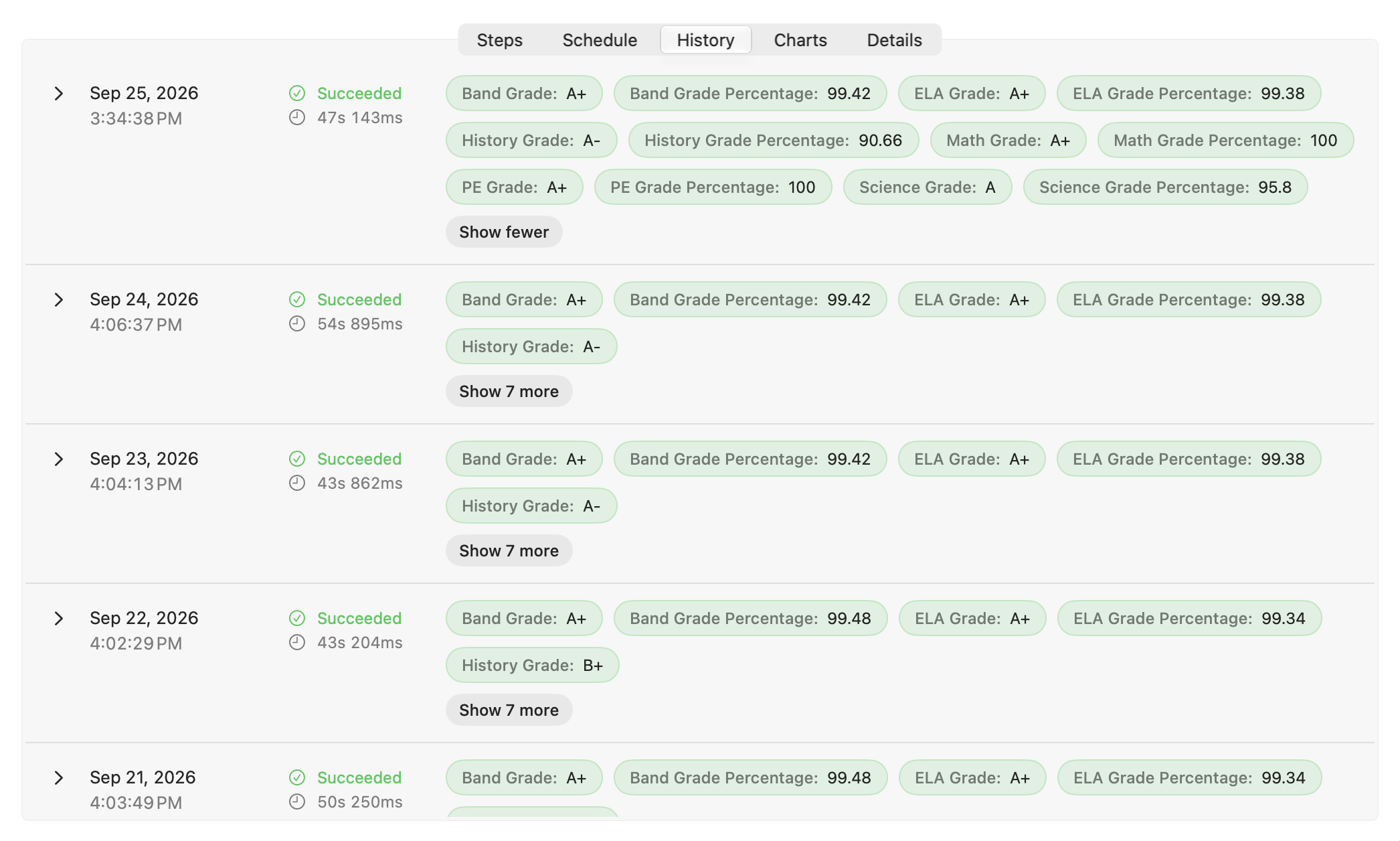
This demo follows a sixth-grader’s school averages. The portal publishes current grades for Math, PE, History, Science, and other subjects as percentages and letter grades. Keep NI collects both over time.
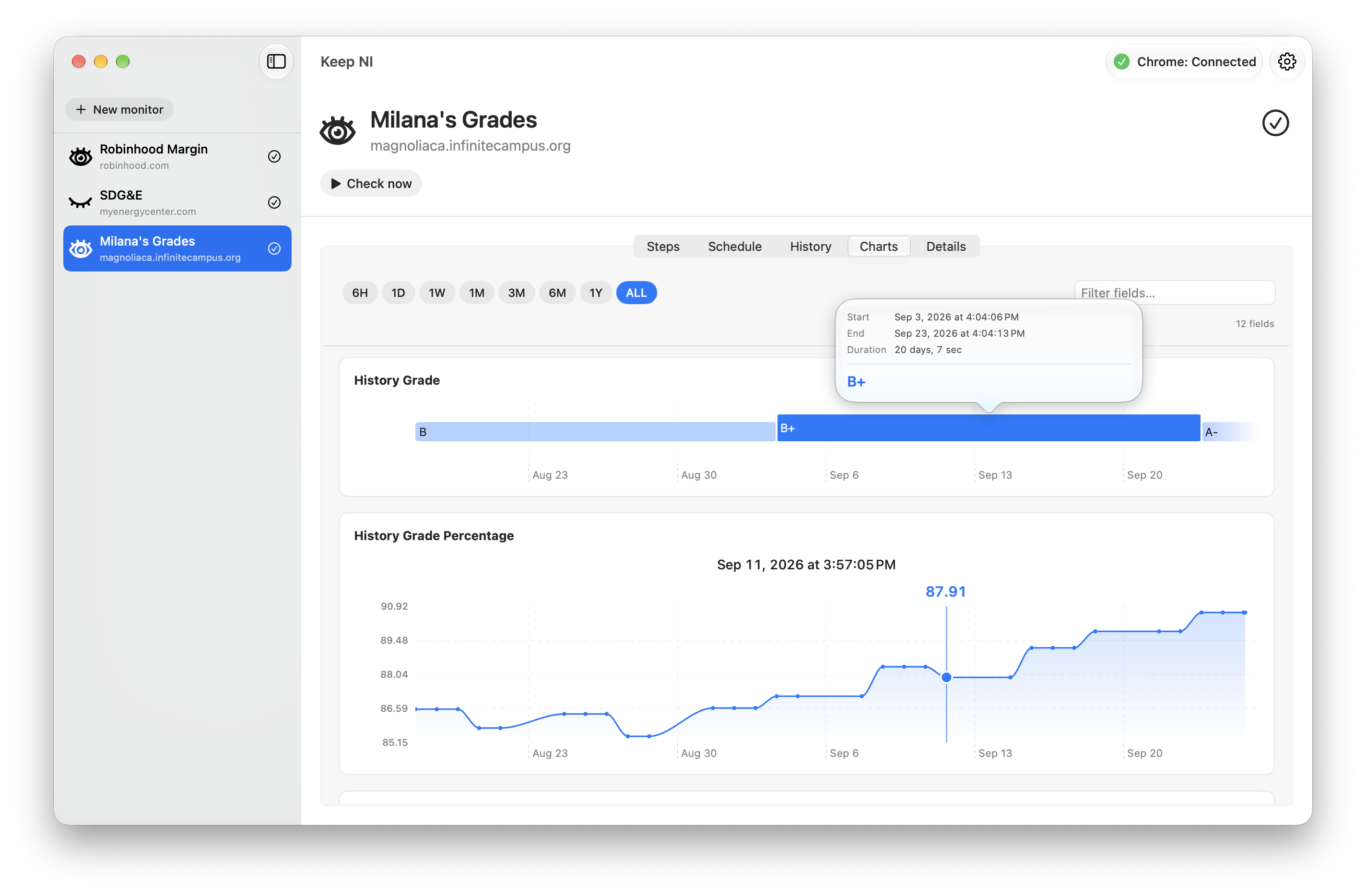
A percentage can rise or fall while the letter grade stays the same. Seeing both reveals the changes behind the current grade.
A signed-in school portal.
The monitor opens the grades page using a parent’s existing Chrome sign-in. The website session stays in Chrome on the parent’s Mac.
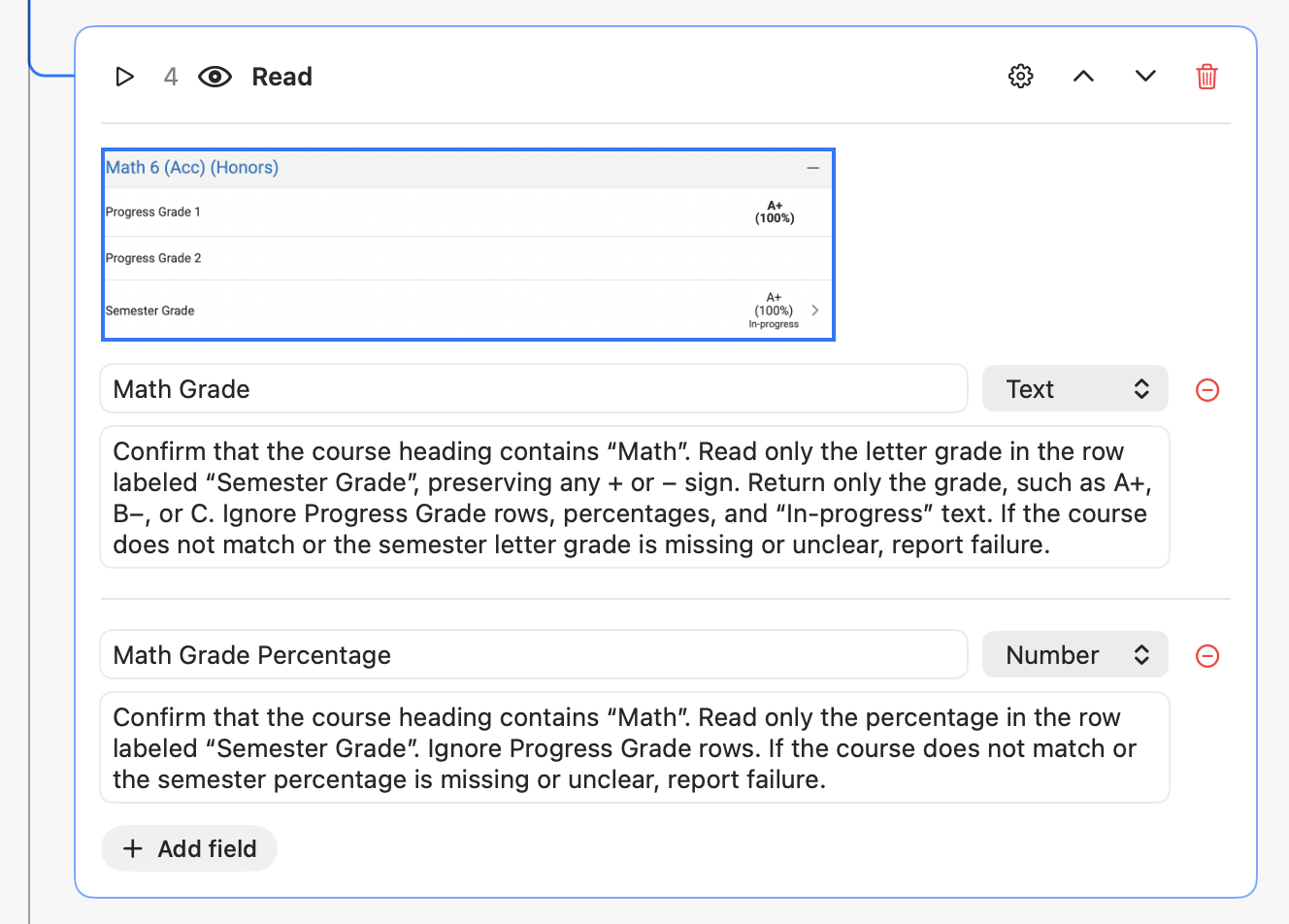
In Steps, the selected region includes subject names alongside their averages. This gives the AI model the context it needs to identify each value.
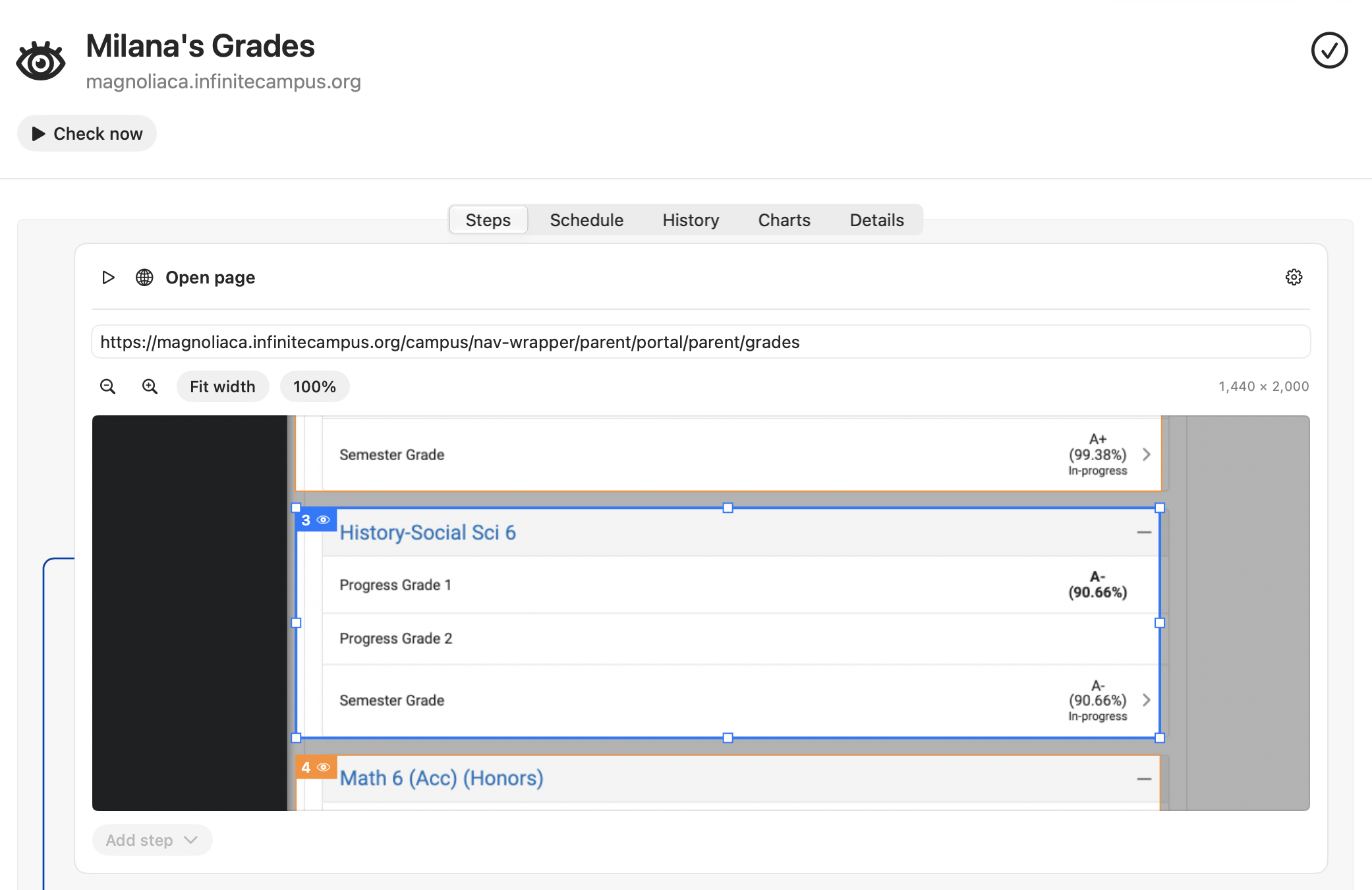
Percentages and letter grades.
The monitor pairs a Number field for each subject’s percentage with a Text field for its letter grade. Reading instructions tell the AI which values to collect.
The configured AI model reads these fields from the selected content.
A history with every check.
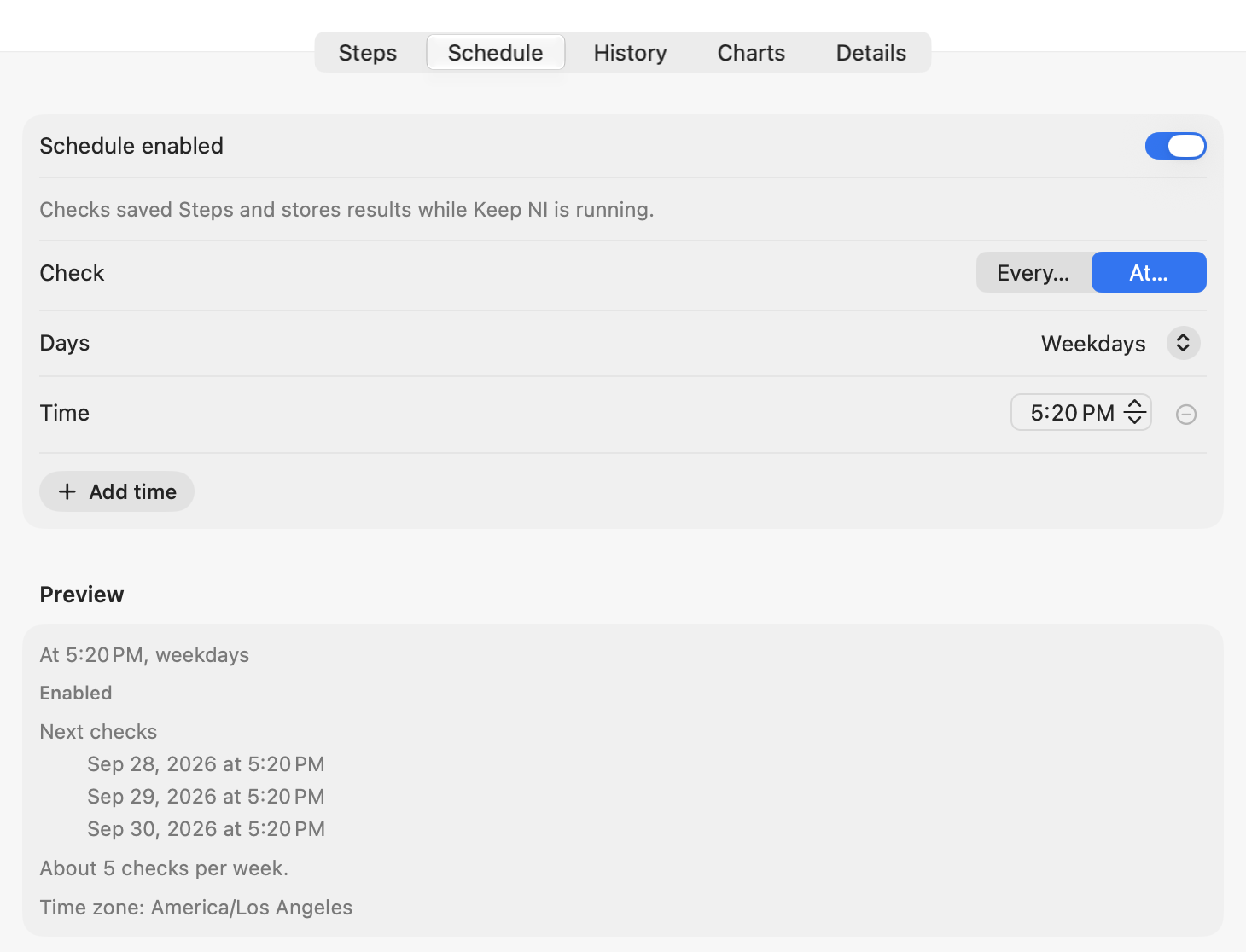
Each successful check saves dated readings on the parent’s Mac. Scheduled checks add new readings Keep NI is running.